LLMSX Explorer — The Dynamic Research Workbench
Explore any field you thought you knew
Most technical domains look familiar until you map their invisible frontiers, structural tradeoffs, and failure modes. LLMSX Explorer is an interactive, high-density research terminal and visualizer designed to turn static documentation into an accelerated learning loop.
# Install with Textual TUI support
python -m pip install 'https://llms-explorer.com/downloads/llmsx/llmsx-0.2.6-py3-none-any.whl[tui]'

# Launch the terminal workbench (auto-clones the concept tree on first run)
llmsx explorer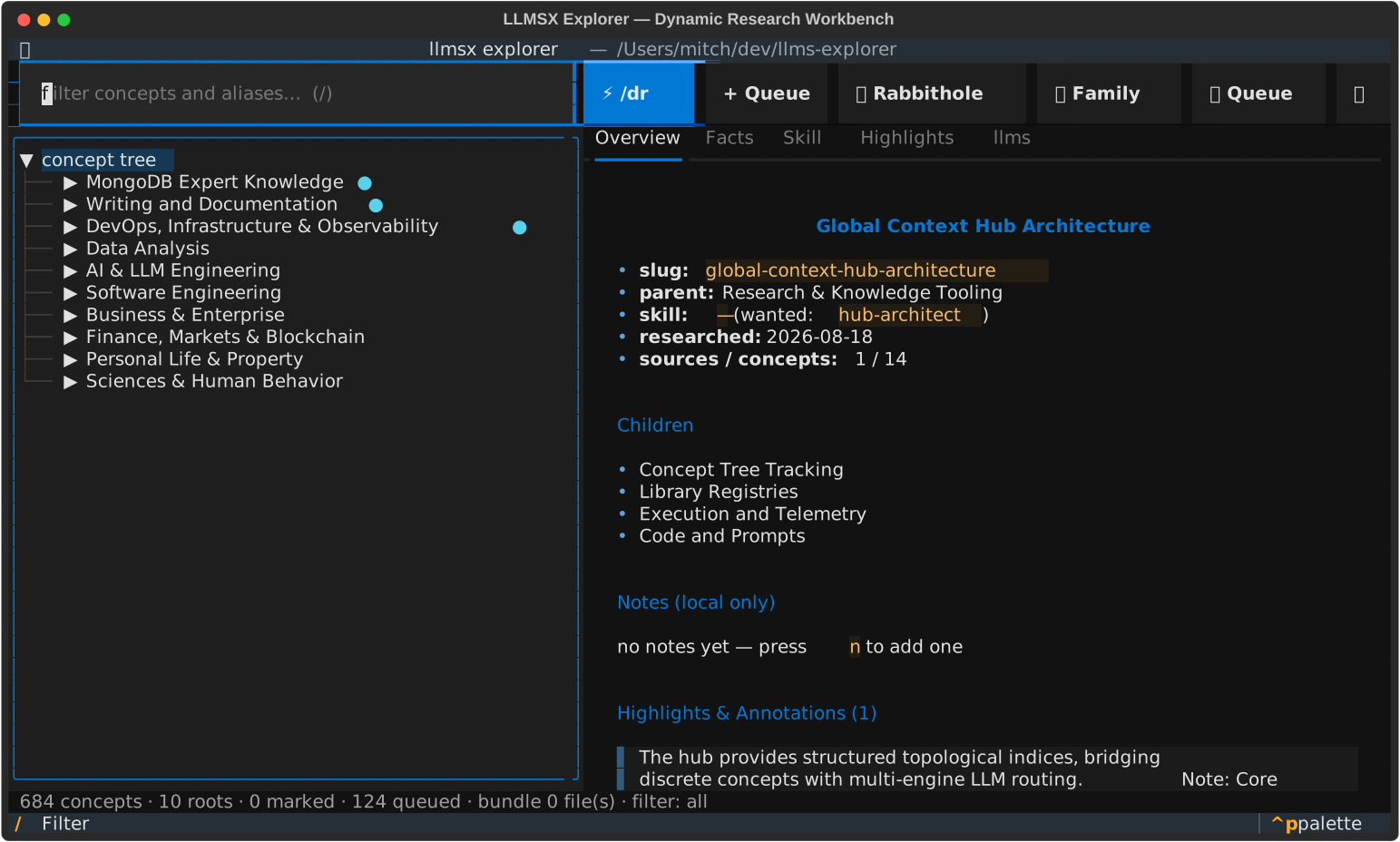
Dynamic Field Exploration
Browse hundreds of researched concepts organized in a coherent taxonomy. Frontier concepts (unexplored boundaries) are rendered dim-italic, revealing the exact edges of your current knowledge base.
Instant Multi-Engine Research
Launch deep research with one keystroke. Dispatches across Claude CLI, local Ollama models, Codex, or Antigravity agents. Supports /dr, rabbithole, andconcept-family-explorer.
Active Queue Viewer & Monitor
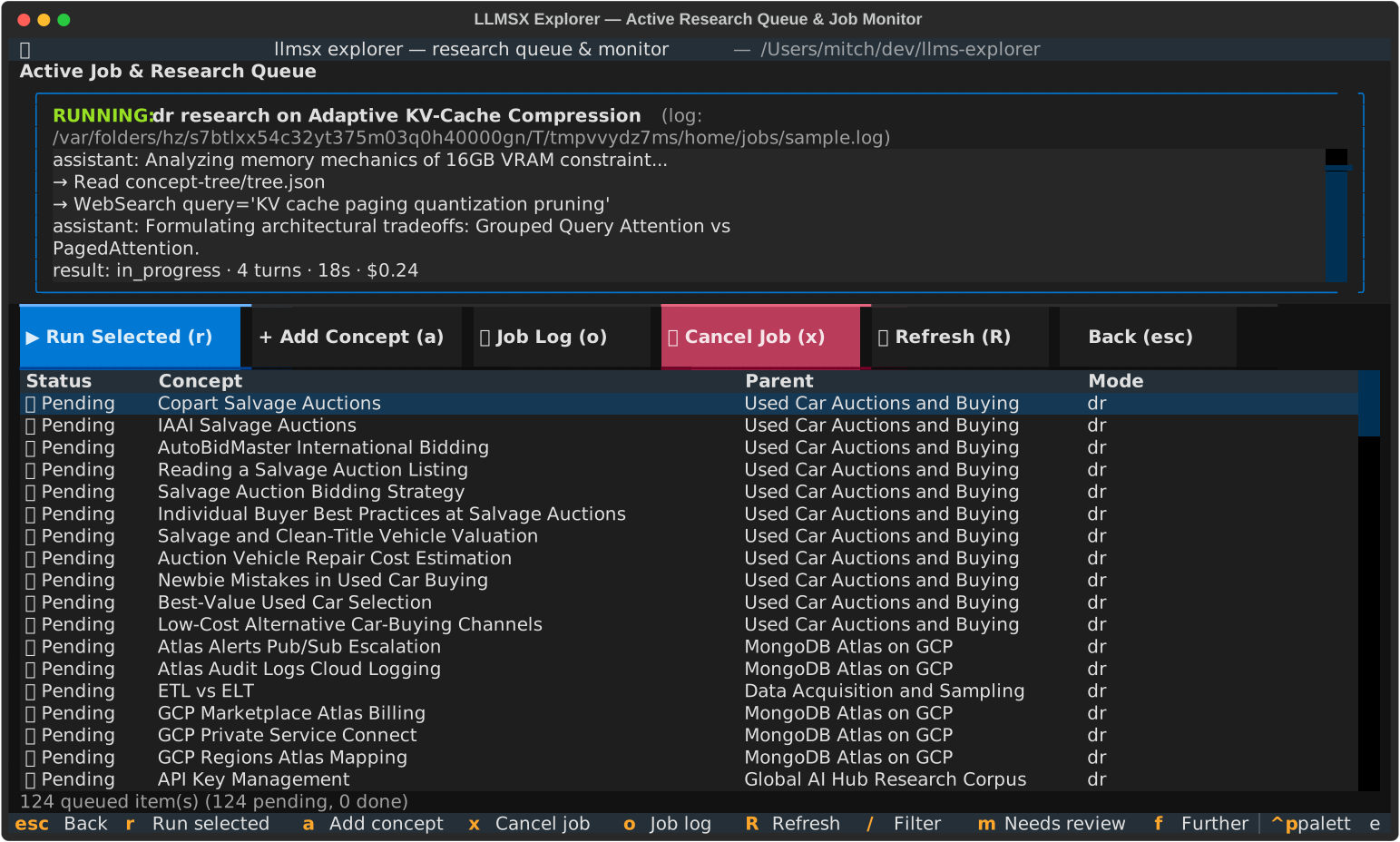
Watch research runners execute in real time. Inspect token counts, turn progress, streaming tool calls, and execution logs. If a job fails or cancels, tree snapshots are restored atomically.
Spaced Repetition Flashcards
Turn researched facts into active recall sessions using the Leitner box system. Drill definitions, latency budgets, protocol parameters, and architectural invariants.
Adaptive Branch Quizzes
Test your comprehension with dynamically generated multiple-choice quizzes across any branch of the concept tree. Explanations verify subtle mechanical distinctions.
Facts First
Selecting a concept opens its facts: the concept pack's Facts tab, or the hub'sllms-facts.txt when there is no pack. Every llms file is colour-coded by its format so headings, links, citations and warnings stand out.
Scratchpad
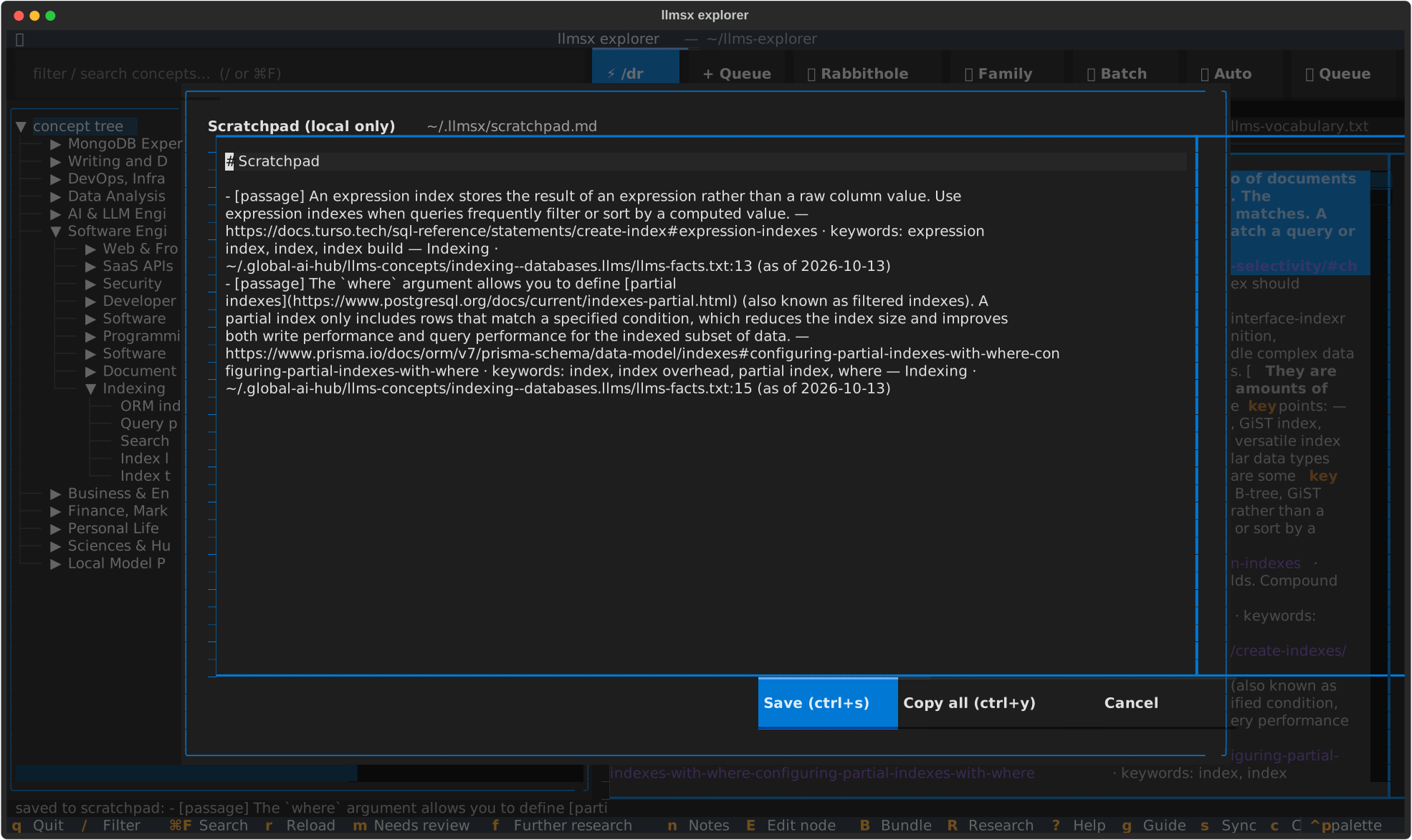
Put the cursor on any line and press y (or 📌 Save line): the line lands in one global scratchpad with its source file and line number. Pressp to compile the collection into a usable list.
Highlights & Annotations
Save critical lines and insights across concepts with a single keypress. Saved snippets persist locally, show up on concept overview cards, and can be exported as structured markdown.
Dynamic and Focused Research
Traditional research starts with search engines or conversational models that reset state on every session. LLMSX Explorer operates on a durable, graph-aware concept tree. When you encounter a frontier concept or want to drill deeper into an existing node, dedicated research triggers are built right into the workbench:
⚡ /dr/dr skill with automated web crawling, document parsing, and fact extraction, outputting a complete concept pack.🐇 Rabbithole🧭 Concept Explorer+ QueueRESEARCH_QUEUE.md for batch processing while you continue exploring.🚀 Auto/dr on each one in the background. When all frontiers are saturated, it automatically identifies the most-used concept or skill across the graph and ledger and launchesconcept-family-explorer to discover new branches.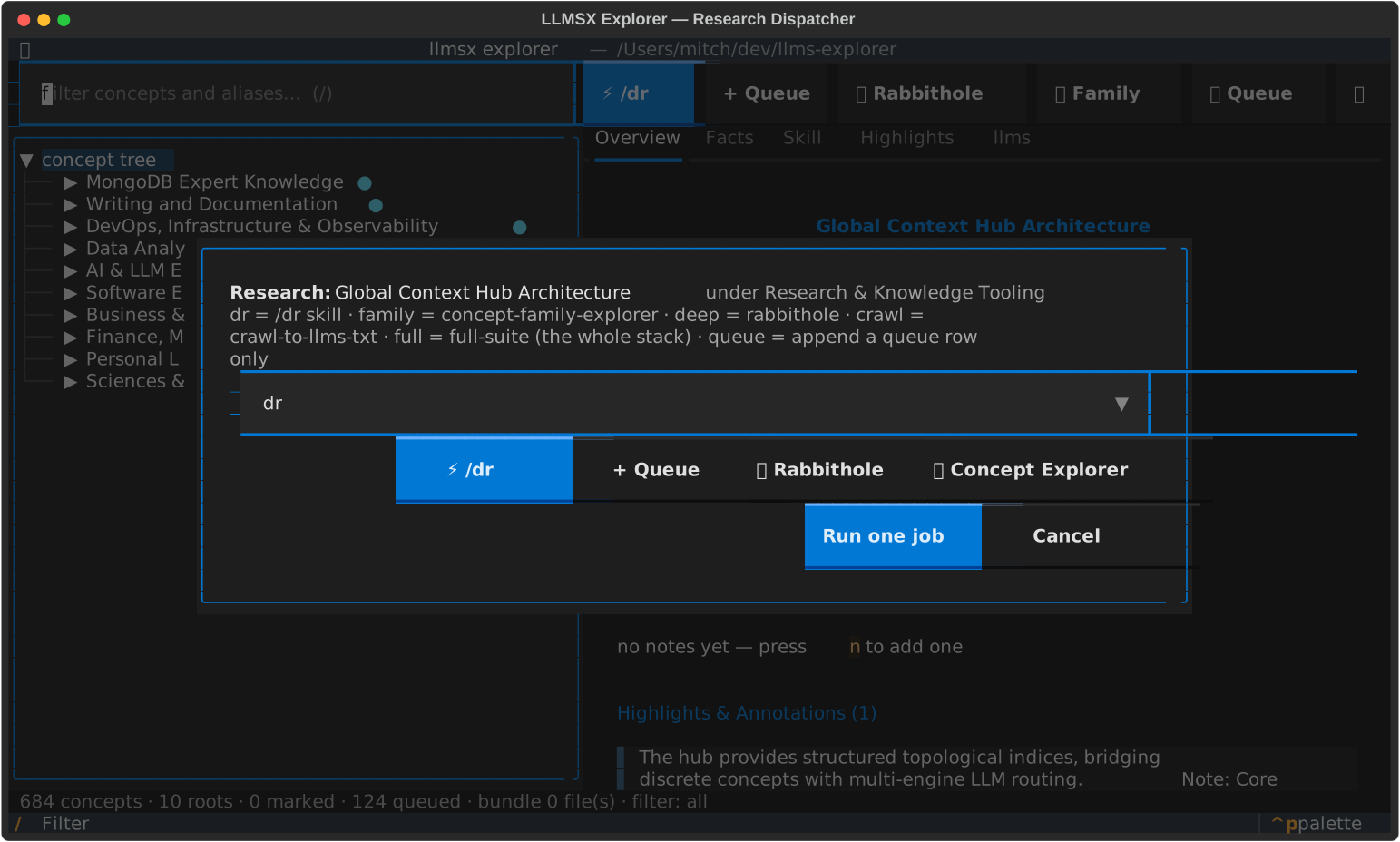
Multi-Provider LLM & API Key Configuration
LLMSX Explorer is not locked to a single AI backend. You can dispatch research, skill runs, and braindump parsing across any supported engine:
- Anthropic Claude:
claude -pwith streaming JSON telemetry and tool execution. - Google Gemini & AGY:
geminioragyCLI runner withstream-jsonoutput. Configurable viaGEMINI_API_KEYorGOOGLE_API_KEY. - OpenAI Codex:
codex exec --jsonrunner with model overrides. Configurable viaOPENAI_API_KEYorCODEX_API_KEY. - GitHub Copilot:
gh copilot -- -pCLI integration using your GitHub token (GITHUB_TOKEN/COPILOT_API_KEY). - Ollama (Local): Zero-cloud offline execution with any local model (e.g.
llama3.2,deepseek-r1,qwen2.5-coder). OptionalOLLAMA_API_KEYfor remote instances.
Press , (comma) or click the toolbar provider badge (e.g. 🤖 claude) to open Settings. Select your active provider, configure model overrides, and enter API keys. Keys are stored locally at ~/.llmsx/config.json with strict 0600 file permissions, masked on screen, and never committed to git. Click Test Provider to verify CLI binary presence and credential readiness in one click.
Live Queue Viewer & Active Job Monitor
Press u or click 📋 Queue at any time to open the live Queue Viewer. The viewer splits into an active job status monitor and a pending queue table:
- Live Streaming Telemetry: View the currently executing prompt, session ID, model name, elapsed time, turn counter, and estimated dollar cost.
- Streaming Event Log: See tool executions (
→ Read,→ Bash), assistant thoughts, and status updates as they happen. - Snapshot Protection: Before any research runner touches the repo, a git and tree snapshot is recorded. If a job crashes, times out, or is cancelled (x), the tree snapshot is atomically restored. Your repo is never left in a corrupted state.
- Queue Control: Launch any queued concept immediately (r), cancel running jobs (x), or open the raw job log (o).
Active Learning: Flashcards & Quizzes
Exploring a field is only the first half; retaining and testing that knowledge is the other. LLMSX Explorer extracts structured facts, claims, and definitions directly from researched concept packs to power active learning:
Spaced Repetition Flashcards (F)
Select any root or intermediate branch in the concept outline and press F. The workbench gathers all researched concepts under that branch and builds a flashcard deck. Cards show the concept name, its primary definition, verified facts, and architectural attributes. Grade yourself across Leitner intervals to reinforce recall.
Adaptive Branch Quizzes (Q)
Press Q to launch an interactive 4-option multiple-choice quiz. The quiz engine generates challenging probes based on real distinctions between sibling concepts. Feedback explains why the correct answer holds and why distractor options fail.
Freeform Capture: Braindumps & Daily Journals
Research is messy. You stumble across unexpected insights, transient debug logs, or raw ideas that don't fit neatly into an existing taxonomy yet.
- Braindump (W): Press W to open a capture window. Type or paste raw, unstructured thinking, code snippets, or conversational logs. The backend abstractor analyzes the text, extracts key concepts, and builds loadable
.llmsfiles. - Concept Notes (n): Press n on any concept to open a markdown editor. Notes are stored in your home directory at
~/.llmsx/notes/<slug>.mdwith0600permissions. They stay private on your workstation and are never pushed to the shared repository. - Daily Journal (J): Keep an append-only dated research journal tied to your active exploration sessions.
Facts, the llms Colour Scheme & the Scratchpad
The explorer opens every concept on its facts. The llms-family tabs (llms.txt,llms-full.txt, llms-small.txt, llms-facts.txt,llms-vocabulary.txt) show one numbered line per row, coloured by the llms format:
- Structure:
#titles magenta,##sections cyan, the>summary green, list markers yellow. - Links: link names bold, URLs underlined blue, inline
codeorange. - Provenance:
[src: …]and[gen: …]tags and the— path:line (as of date)citation tail dimmed, dates green. - Warnings:
STALE:,Misbelief:,TODO,never,mustin bold red.
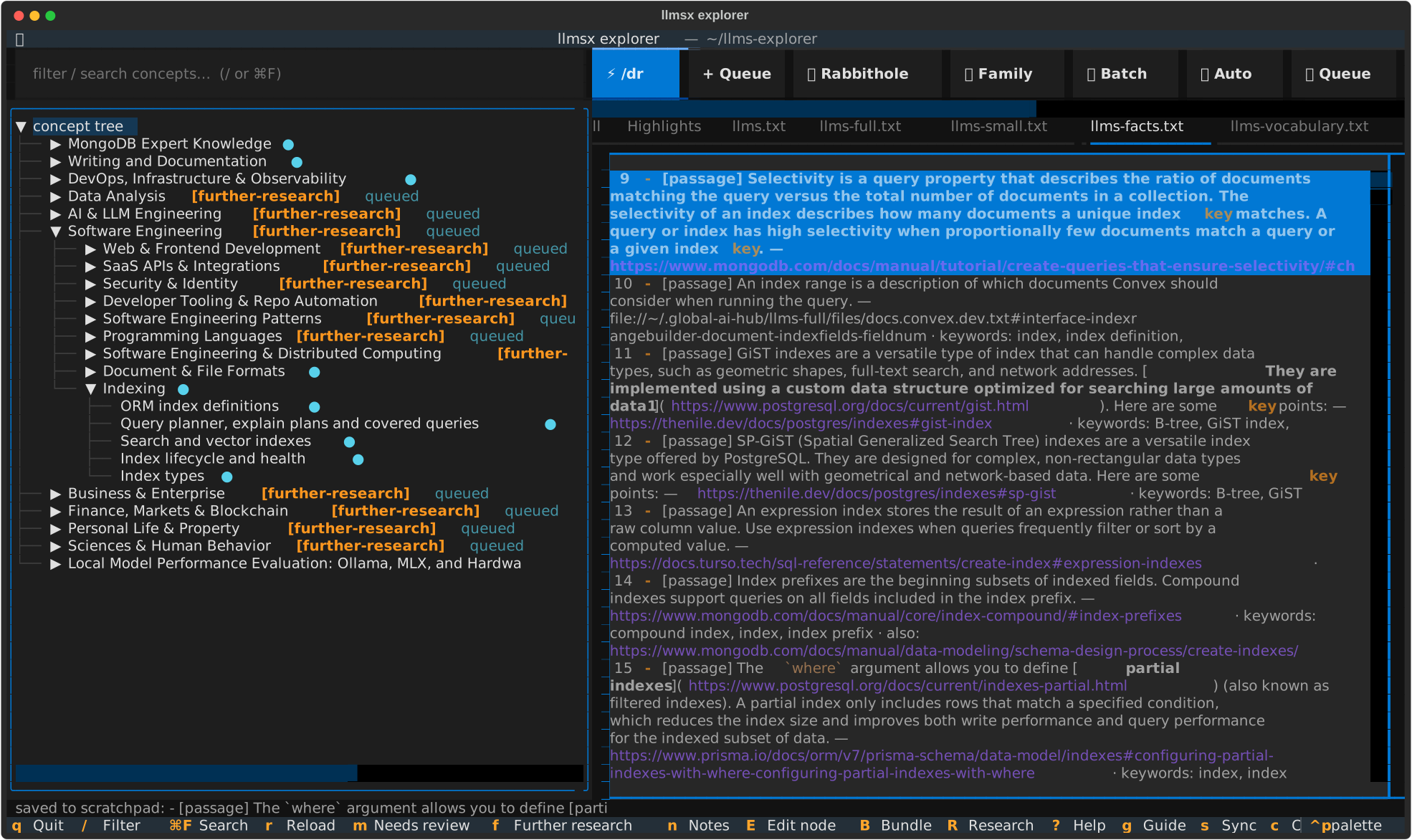
The scratchpad is one global file, ~/.llmsx/scratchpad.md. Look up a thing, press y on each useful URL or fact, and every line is kept as- <line> — <concept> · <file>:<line> (as of <date>). On the Overview, Facts or Skill tab, y opens a filterable line picker instead. Duplicates are skipped. Press p (or 📝 Scratchpad) to reorder and edit, ctrl+sto save and ctrl+y to copy the whole list.
Unresearched concepts. Many concepts are known only by their place in the tree. Press U to mark every concept with no facts file further-research and add it to the research queue in one confirmed step; then filter with T and let🚀 Auto work through them.
Arrow keys. The outline, line views, lists and dropdowns keep their own↑ ↓. Everywhere else, ↓ moves focus to the widget directly below: from the filter box to the outline, from a button to the tab bar.
Highlights & Annotations Section
As you read through concept overviews, facts files, and skill references, you will find standout lines, critical architectural constants, or pithy summaries you want to keep.
Cross-Concept Knowledge Treasury
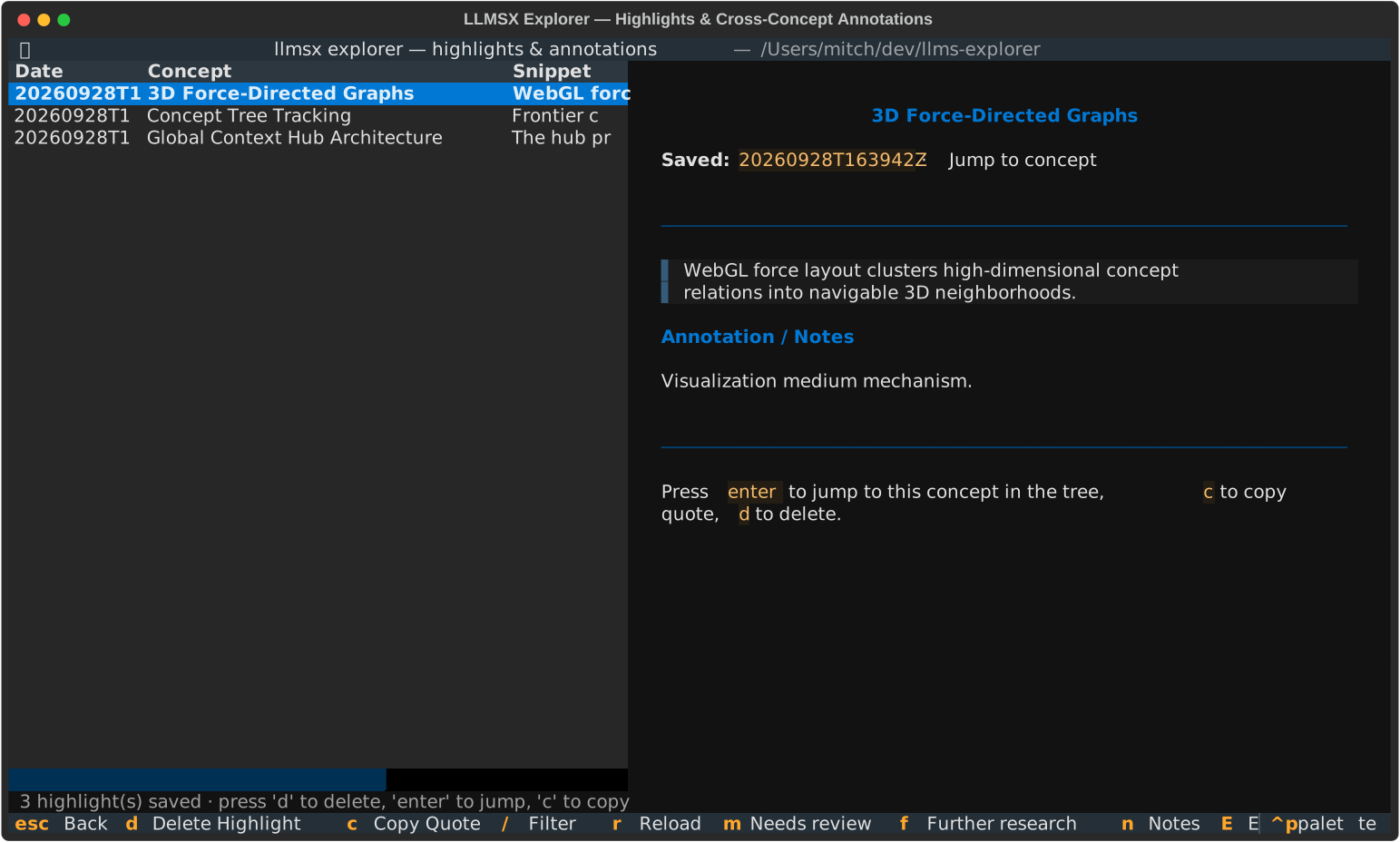
Press h or click 🔖 Highlight on any concept. A modal pops up allowing you to paste or enter the exact quote along with an optional annotation note.
- Overview Integration: Every concept overview pane automatically displays a count of your saved highlights for that topic and quotes recent excerpts.
- Dedicated Highlights Tab: Switch to the
Highlightstab in the workbench ([ or ]) to read all notes and excerpts for the selected concept. - Highlights Manager (H): Press H to open the global manager. Search through snippets across all domains, copy quotes directly to your clipboard (c), delete outdated notes (d), or jump straight to the source concept in the tree (Enter).
Complete Hotkey Reference
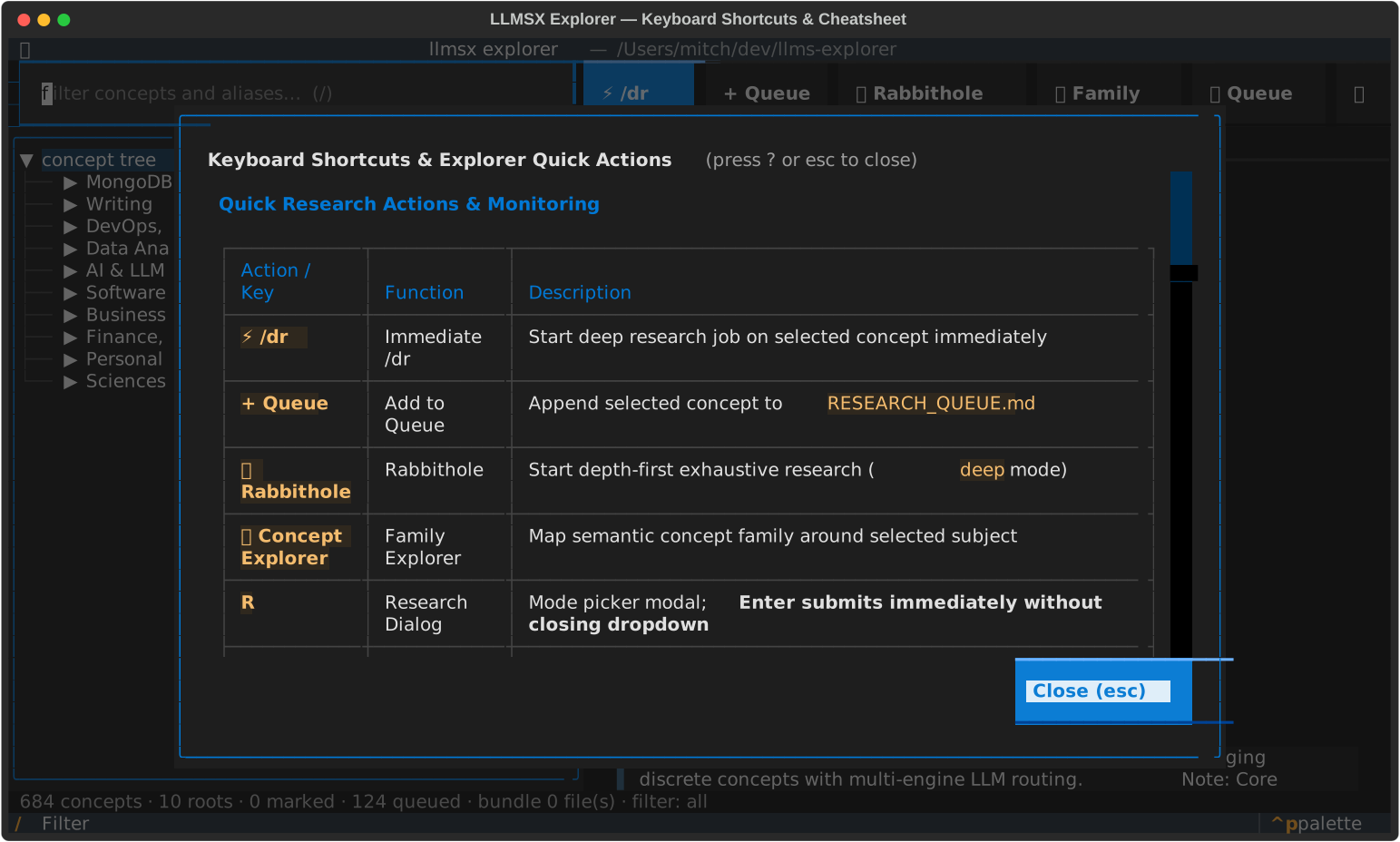
Press ? at any time in the terminal workbench to bring up the interactive cheatsheet, or g for the complete user guide, which covers every screen, file and setting.
Navigation
| ↑ / ↓ | Move in the outline; elsewhere, move focus to the widget directly above or below |
| → / ← | Expand or collapse the concept under the cursor |
| / (slash) | Focus the filter (matches names and aliases) |
| ⌘F / ctrl+f | Search: Enter jumps to the next match |
| [ and ] | Previous / next detail tab |
| T | Cycle the outline filter: all, frontier, researched, tagged |
| g | Open the complete user guide |
| q | Quit the workbench |
Scratchpad & Facts
| y / 📌 Save line | Save the cursor line of an llms tab (or a line picked from any tab) to the scratchpad |
| p / 📝 Scratchpad | Open, edit and copy ~/.llmsx/scratchpad.md |
| U | Mark every concept with no facts file further-research and queue it |
| m / f / x | Mark needs-review / mark further-research and queue / clear the mark |
Research & Jobs
| ⚡ /dr (button) | Start deep research on the selected concept now |
| + Queue (button) | Add the concept to RESEARCH_QUEUE.md |
| 🐇 Rabbithole (button) | Research the concept depth-first |
| 🧭 Family (button) | Map the concept family around the topic |
| 🚀 Auto / a | Autopilot /dr on frontier concepts, then expand the most-used family |
| R | Research dialog: mode and provider (Enter submits) |
| u / 📋 Queue | Queue viewer with the live job monitor |
| o | Job log of the running job (x cancels, snapshot restored) |
Notes, Learning & Capture
| h / H | Save a highlight / open the highlights manager |
| n | Private notes for the concept (~/.llmsx/notes/<slug>.md) |
| e / E | Open the tab's file in $EDITOR / edit the node |
| F / Q | Flashcards (Leitner boxes) / quiz over the selected branch |
| W / J | Braindump / daily journal |
| b / B / X | Bundle toggle / bundle / export |
| s / c | git pull --ff-only / commit and push the three tree files |
| ? | Key cheat sheet |
Dual Surface: Web & Terminal
LLMSX Explorer provides two complementary surfaces for engaging with the concept knowledge graph:
| Feature | Web Explorer (/tree/) | Terminal Workbench (llmsx explorer) |
|---|---|---|
| Medium | Interactive 3D force-directed WebGL canvas | High-performance Textual TUI |
| Primary Purpose | Macro visual orientation & topological exploration | Focused research execution, editing, & learning |
| Job Execution | Read-only generated views | Live multi-engine /dr, queue, & background execution |
| Active Learning | Static fact display | Interactive Leitner flashcards & quizzes |
| Local Data | Hosted publicly on GitHub Pages / CDN | Private notes (~/.llmsx/notes), highlights, & bundles |
| Git Integration | Automatic twin compilation | Direct commit, push, & sync with token masking |
Start exploring today
Install the workbench and discover what lies beyond the surface of your field.
Get LLMSX ExplorerRead the User GuideView 3D Web Tree